Keep your WooCommerce inventory synchronized with your physical store.
Selling the same products online and in person only works if the stock numbers agree. Akantio keeps them that way.
Start FreeNo credit card required.
When online and in-store stock don't match, you oversell.
If your physical counter isn't connected to WooCommerce, a sale in the shop doesn't reduce the stock your online store shows.
Overselling online
A product sold in-store can still show as available on your WooCommerce site.
Manual stock counts
Reconciling two separate inventories by hand takes time and introduces errors.
One inventory, updated from every sale.
When you sell something in Akantio, the stock level updates in WooCommerce — your online store reflects what's actually left.
See it in action.
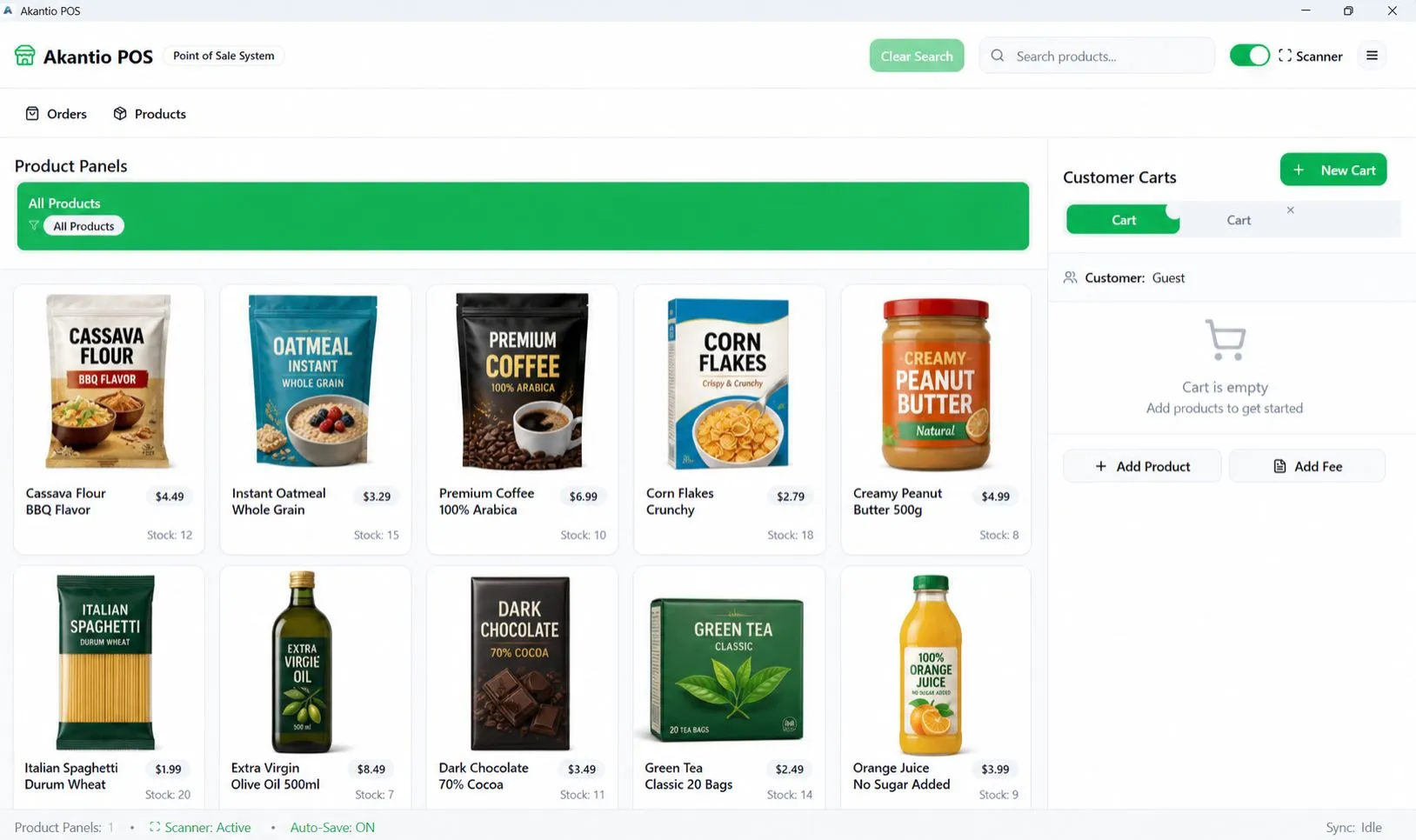
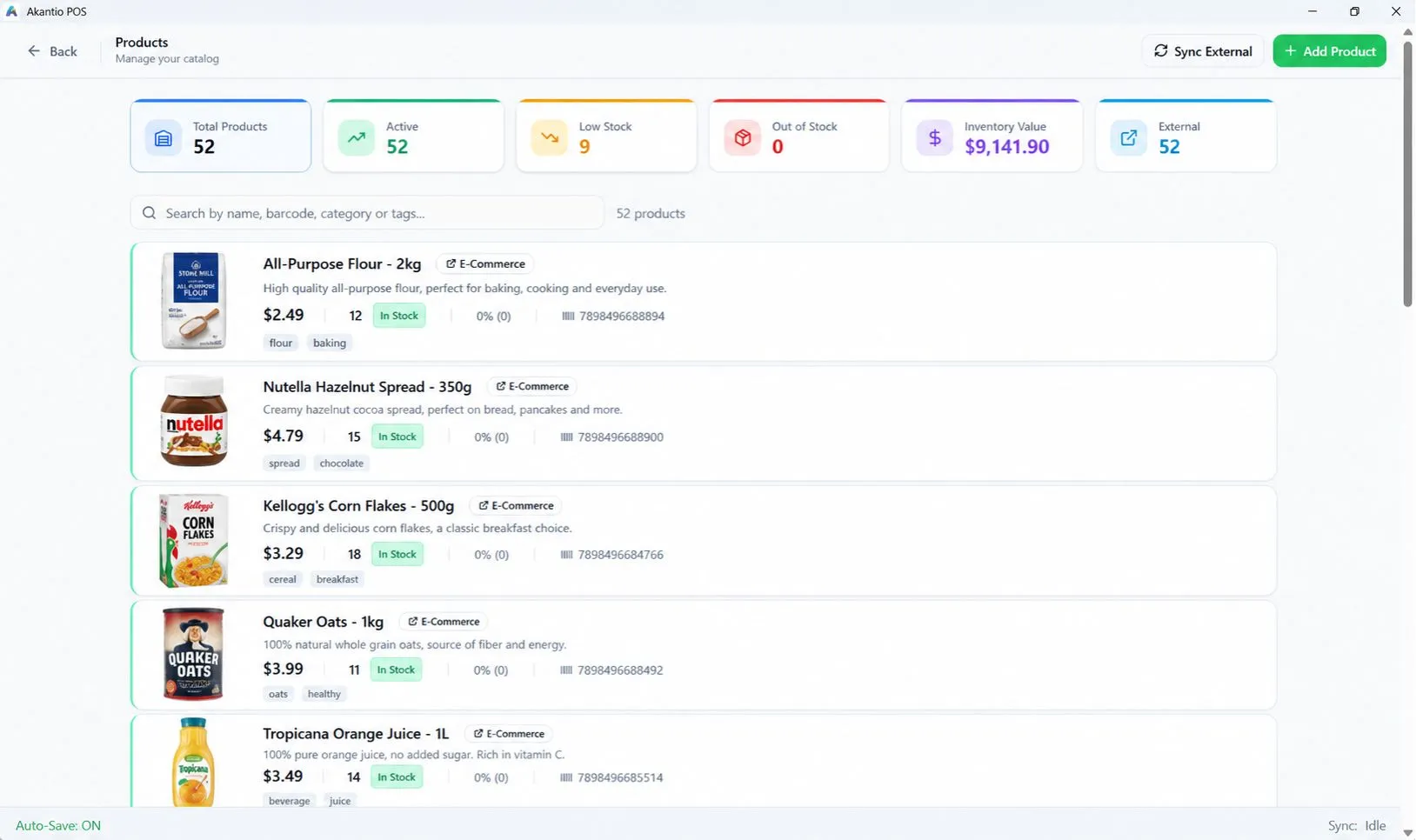
Everything a WooCommerce store needs at the counter.
WooCommerce Integration
Keep your existing WooCommerce products, prices and stock connected to your physical store — no second catalog to maintain.
Fast Checkout
A counter-ready interface built for speed: scan, add, charge, done.
Real-Time Inventory
Every in-store sale updates your WooCommerce stock automatically. No manual recounts, no overselling online.
Multiple Carts
Hold and switch between multiple open carts — built for busy counters with more than one customer at a time.
Offline Mode
Keep selling even when the internet drops. Cash and manual sales queue locally and sync automatically once you're back online.
Integrated Payments
Accept cards directly at the counter with Stripe Terminal or Revolut Terminal, or take ad-hoc payments through an external terminal.
Frequently asked questions.
Does stock update in real time?
Yes, if the connection is active — stock sync and its interval are configurable in settings.
Does an online WooCommerce order get pulled into the POS as a sale?
Not yet — that direction of sync is on our roadmap. Today, sync flows from an in-store sale to your WooCommerce stock level.
Stop reconciling two inventories by hand.
Connect your WooCommerce store and keep stock in sync automatically.