The WooCommerce POS plugin for physical stores.
Install the Akantio POS plugin from WordPress.org, connect it to your WooCommerce store, and start selling in person.
Install Free PluginNo credit card required.
From WordPress.org to your first in-store sale.
Install the plugin from the WordPress directory, connect your account, and Akantio picks up your WooCommerce products and stock automatically.
See it in action.
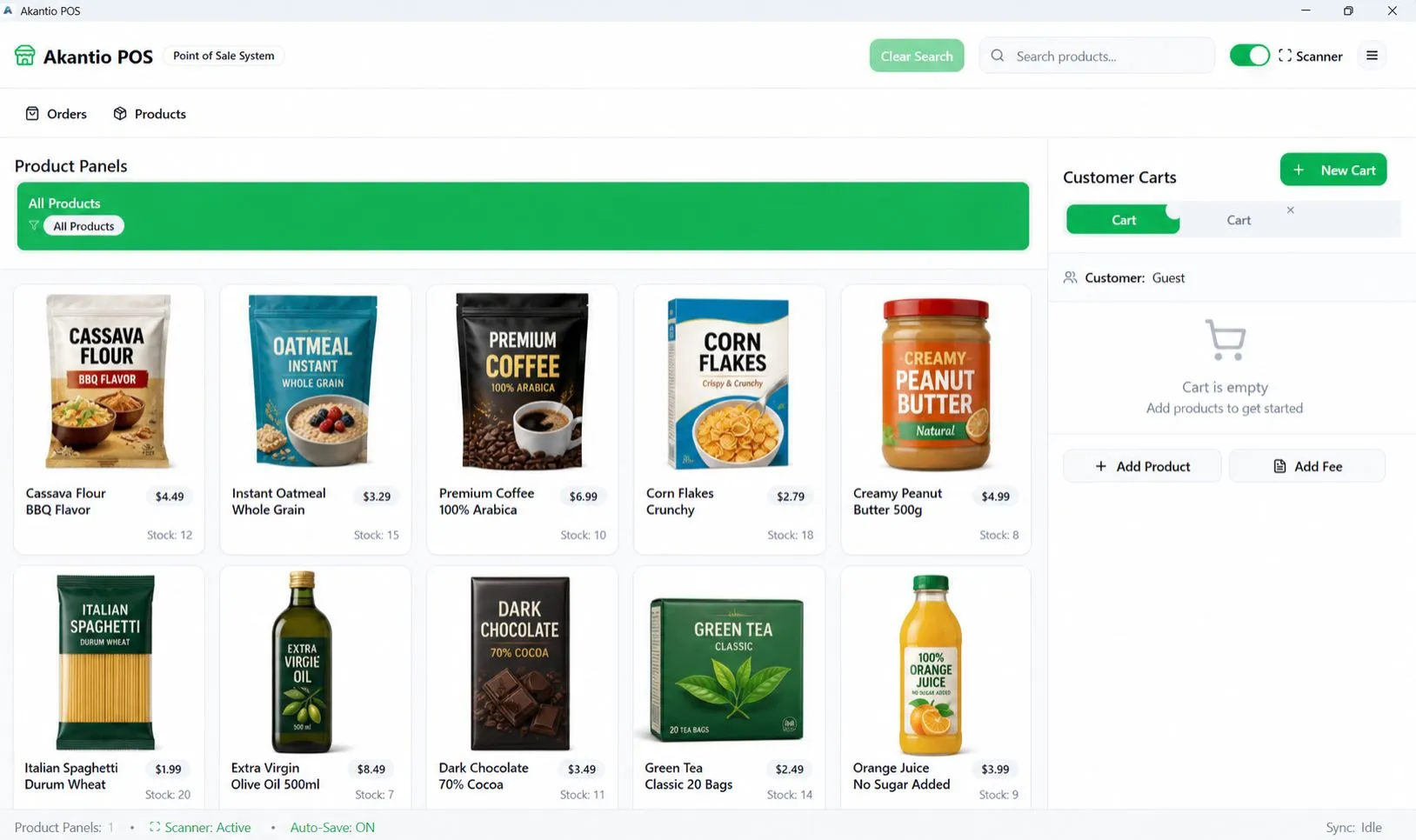
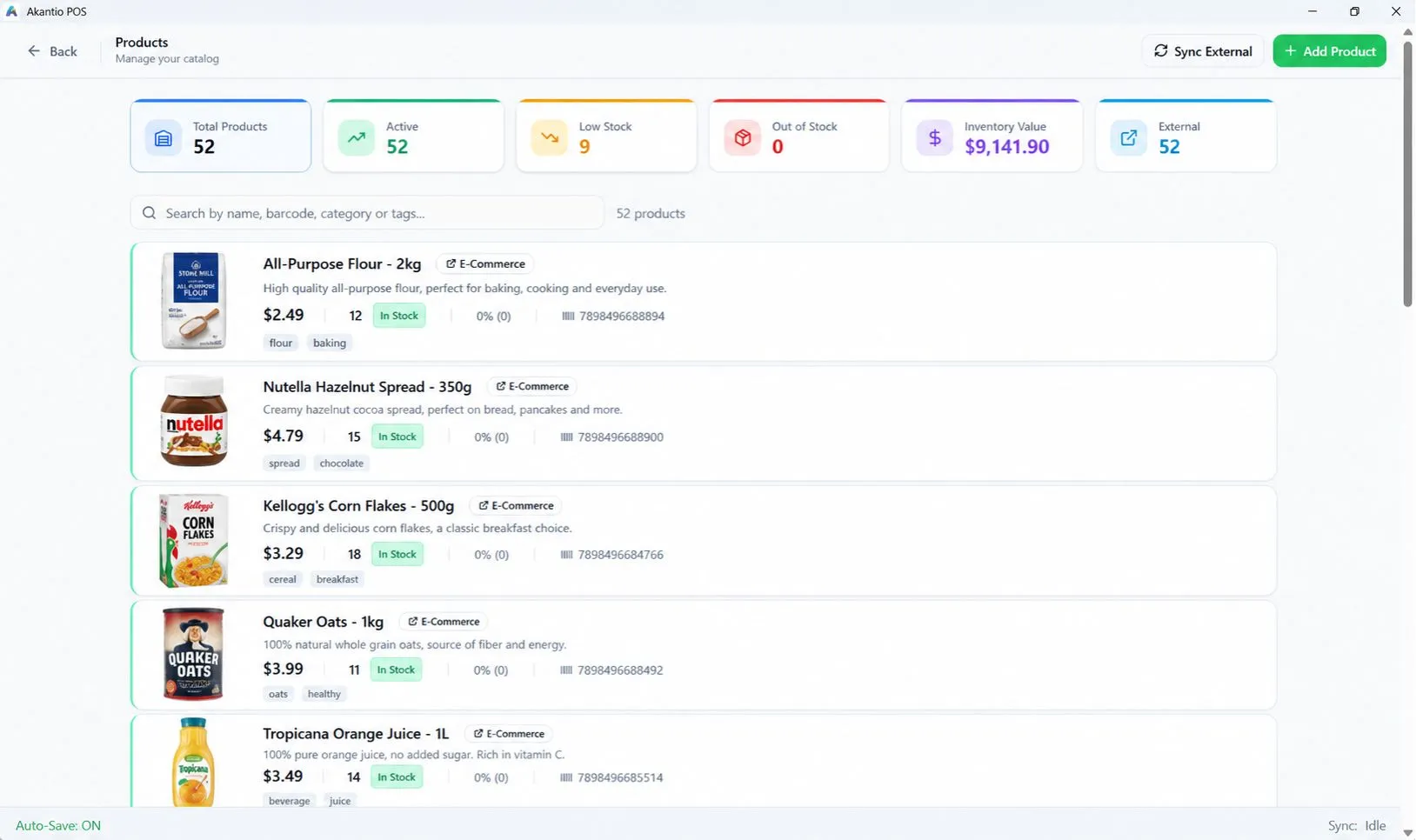
Everything a WooCommerce store needs at the counter.
WooCommerce Integration
Keep your existing WooCommerce products, prices and stock connected to your physical store — no second catalog to maintain.
Fast Checkout
A counter-ready interface built for speed: scan, add, charge, done.
Real-Time Inventory
Every in-store sale updates your WooCommerce stock automatically. No manual recounts, no overselling online.
Multiple Carts
Hold and switch between multiple open carts — built for busy counters with more than one customer at a time.
Offline Mode
Keep selling even when the internet drops. Cash and manual sales queue locally and sync automatically once you're back online.
Integrated Payments
Accept cards directly at the counter with Stripe Terminal or Revolut Terminal, or take ad-hoc payments through an external terminal.
Built for businesses that sell online and in-store.
Retail Stores
Sell in-store while keeping the WooCommerce inventory you already manage online in sync.
Specialty Stores
Run a detailed product catalog — categories, variants, stock levels — across online and in-person sales.
Food & Grocery
Keep counter sales and your online shop pulling from the same stock numbers.
Small Businesses
Start free with the WooCommerce store you already run, and grow into Pro without switching systems.
Frequently asked questions.
Where do I install the plugin?
Directly from the WordPress plugin directory at wordpress.org/plugins/akantio-pos.
Do I still need the Akantio POS desktop app?
Yes — the plugin connects your WooCommerce store to your account; the counter checkout runs in the Akantio POS Windows app.
Is the plugin free?
Yes, the plugin is free. Akantio's Free plan is also free forever, no credit card required.
Install the plugin and connect your store.
Get the Akantio POS plugin from WordPress.org and start selling in-store.