Payment Methods
Configure which payment methods are available at checkout. Go to Settings → Payment.
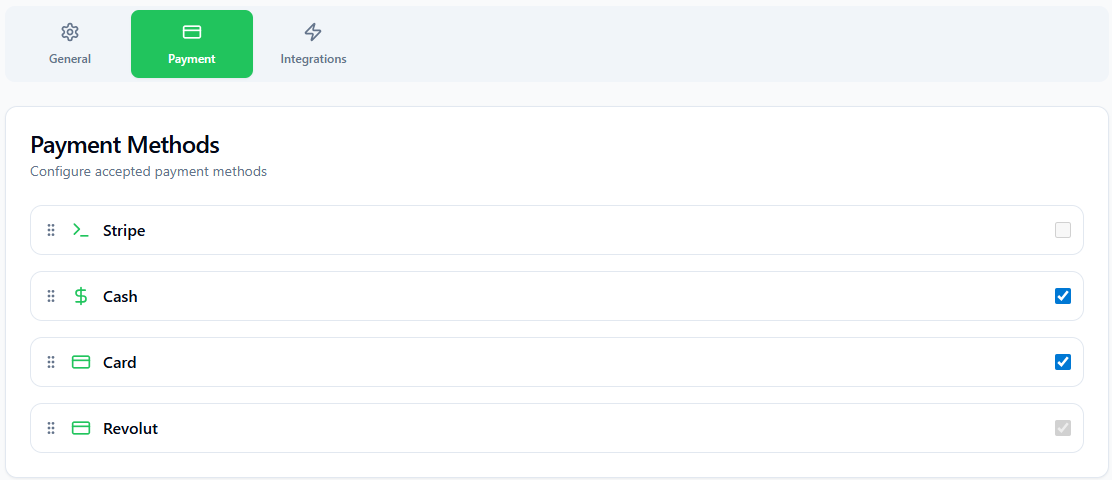
Available Payment Methods
| Method | Description | Requires Integration |
|---|---|---|
| Cash | Manual cash payment with change calculation. | None |
| Card | Card payment via external card reader without integration. (POS does not control card reader) | None |
| Stripe | Card payment via Stripe Terminal hardware reader. | Stripe Terminal |
| Revolut Terminal | Card payment via Revolut card reader. | Revolut Terminal |
Enabling & Disabling Methods
Each payment method has a toggle switch. Turn it on to make it available at checkout; turn it off to hide it.
Integration Lock
Card-based methods (Stripe, Revolut) are automatically locked if their integration has not been configured. Set up the integration first, then enable the payment method.
Reordering Methods
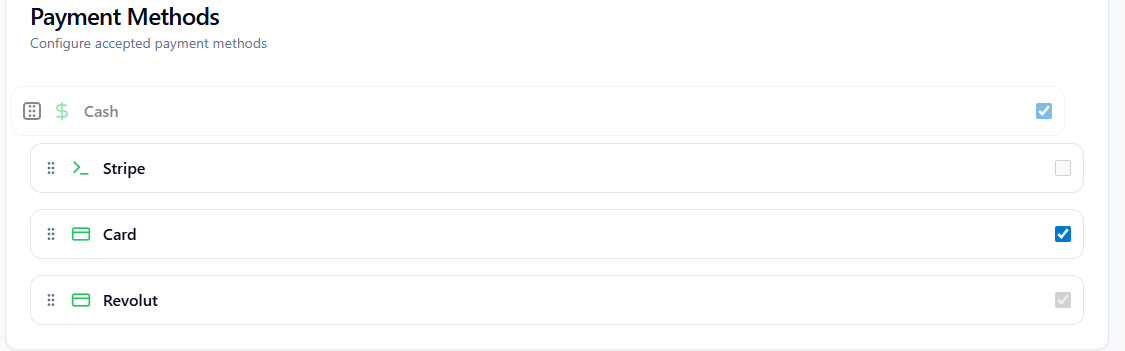
The order of payment methods at checkout matches the order in this list. To change it:
1
Grab the drag handle
Hover over a method to reveal the drag handle (⠿) on the left side.
2
Drag to the desired position
Hold and drag up or down. Release to drop.
3
Order saves automatically
The new order is persisted immediately — no extra save action needed.